Local · sandboxed · open source

Run a team of coding agents.Approve what matters.

Piper runs several Claude Code and Codex sessions at once, each in its own sandbox. They work on their own. When one wants to push, touch production or edit another project, you get a card that shows what it will actually do.

curl -fsSL https://kamest.github.io/Piper/install.sh | sh
Overview⌘J next card
pushed · fix/idempotent-charge
The tour

Every agent, every project, one screen.

The queue, the Global agent's plan, a finished turn, two agents side by side, Files, the Git window and the security rules, in under twenty seconds. The captioned walkthrough takes ninety.

127.0.0.1:17895

Demo data, generated from Piper's end-to-end test harness. No real project or account is involved.

One queue

The session that needs you is always at the top.

BLOCKED

Waits for a decision

A push, a production query, an edit outside the project. The exact command, the risk and the rule that asked.

YOUR TURN

Finished a turn

Read what it did as a conversation, review the turn's diff with line notes, undo it, or answer in the composer.

RUNNING

Working on its own

Leave it. Its terminal keeps running when you close the browser or restart the daemon.

Evidence

Say yes in a second, because the card shows what happens.

Before a card appears, Piper checks the action on your machine and puts the facts next to the command. What could not be checked is said so. Every fact is written to the audit log with your decision.

GIT PUSH

The commits, not just the branch

  • 3 commits · +142 −38 in 6 files
  • Branch protection and CI on the base branch
  • Secret scan of the outgoing diff
DATABASE

The rows, before they change

  • Test writes: a rolled-back dry run, “3 of 12,400 rows change”
  • A before/after preview of those rows
  • Production reads: EXPLAIN and the personal-data columns, never their values
HTTP

The host, before data leaves

  • Dev, test, production or unknown host
  • The first request and the body size
  • The names of the secrets it will send

The same request again and again? Allow similar for 1 hour, revocable at any time. Production writes, privileged and strict runs never get one.

Your phone

Approve from your phone. No VPN, no port forwarding.

Pair a phone with a one-time QR code, then answer cards, follow sessions and type into a terminal from anywhere. Phone and computer talk through an iroh relay, encrypted end to end: your computer needs no public address and nothing opened on the router, and the relay sees only metadata.

  • Pairing pins both keys; the code works once, for 60 seconds
  • Push notifications carry no messages or keys, just a generic alert unless you choose session names
  • Remove a phone and its live connections close within a second
$ piper mobile install   # once
$ piper mobile serve

Then open Settings › Mobile access › Pair phone and scan the QR code: the phone opens piper.kamest.dev. Nothing to host, no account. Off until you run it; self-host the relay if you prefer.
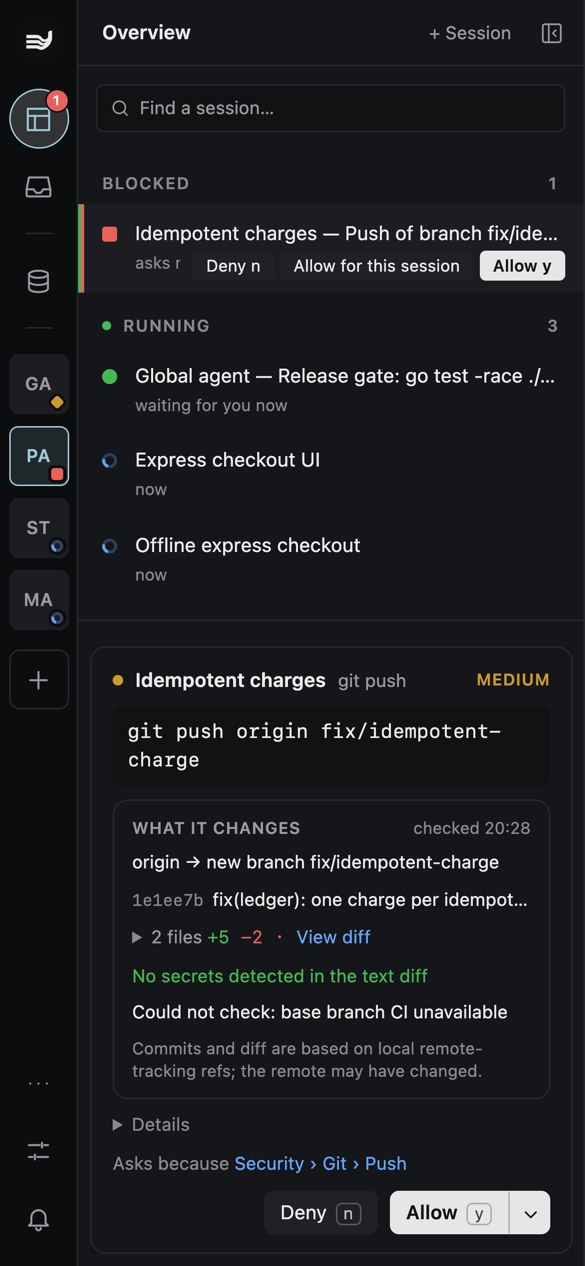
Piper on a phone: the queue with a blocked push and its approval card showing the commit, the diff size and the secret scan
Piper's own GUI at phone width, demo data
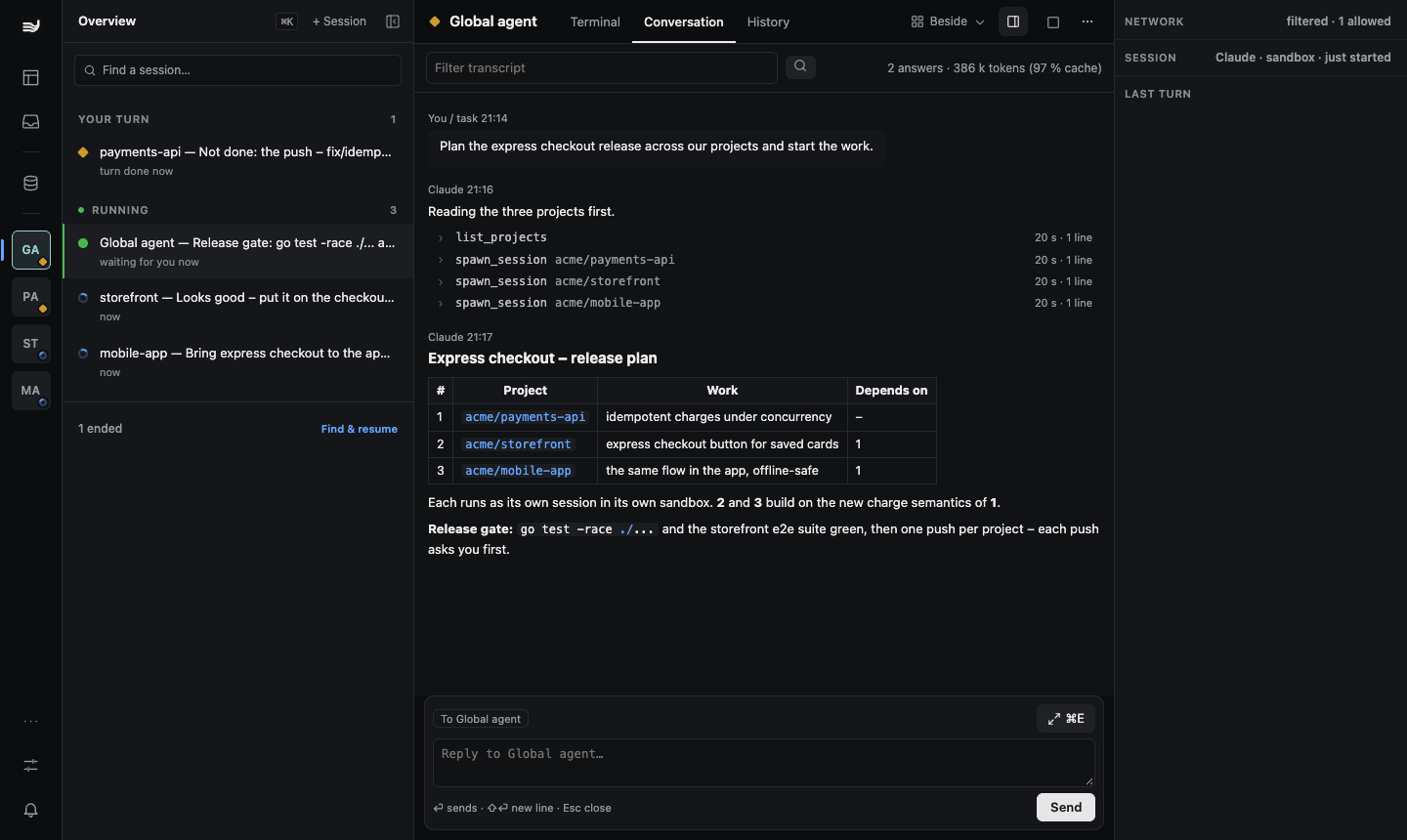
Global agent

Describe the release. It plans the work and starts the sessions.

The Global agent reads your projects, writes the plan with its dependencies and starts one session per project, each in its own sandbox.

  • Starts sessions through Piper's tools, never by itself
  • Its own sandbox, without your project libraries
The Global agent's release plan across three projects
Side by side

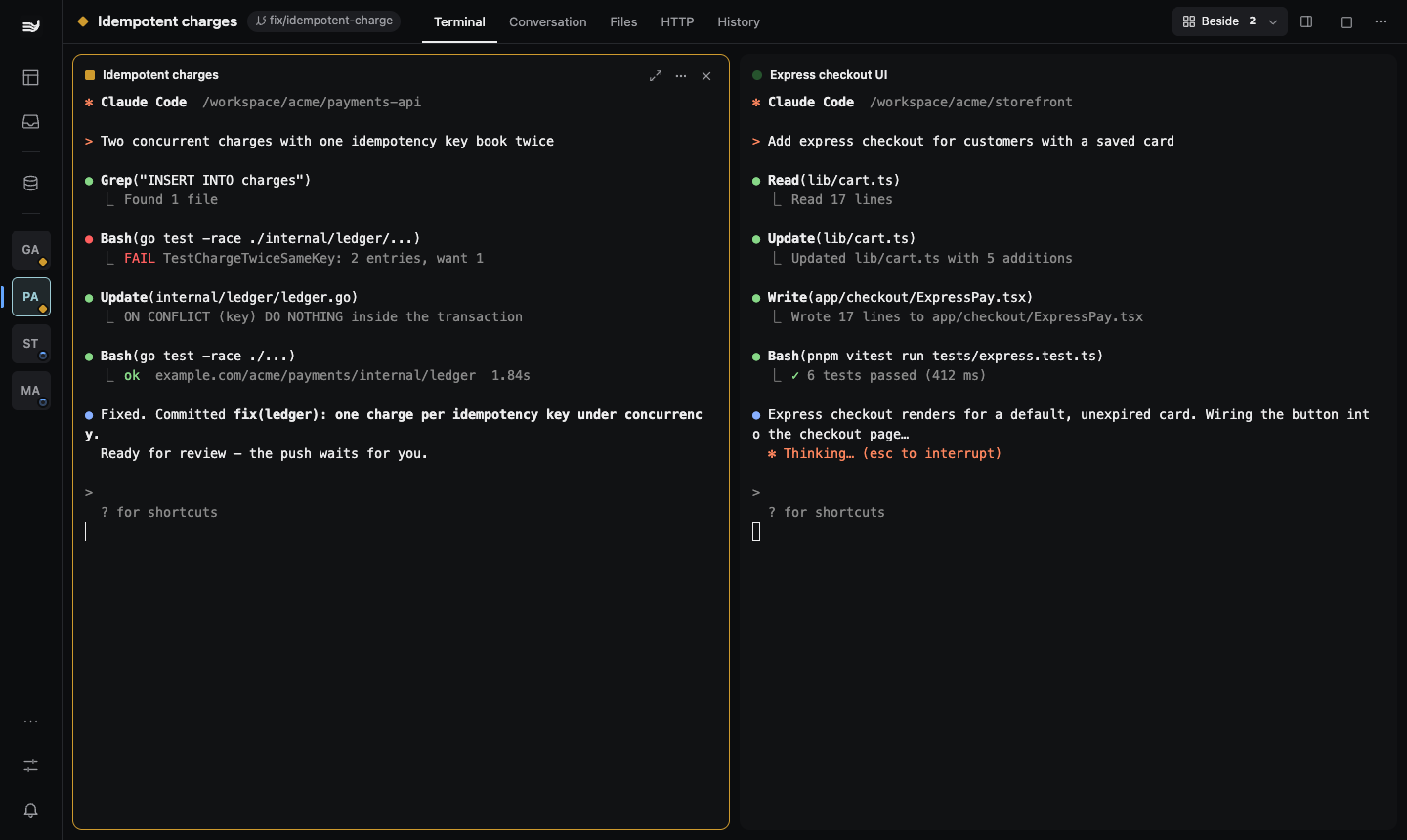
Watch two agents at once, in their real terminals.

Put sessions, host shells and database panes in a grid. Each pane is the agent's own TUI, not a re-rendering of it.

  • ⌘ \ splits the active sessions
  • Codex to Claude and back within one session
Two agent terminals side by side
Review

Review every turn. Undo any turn.

A session that changed files moves to To review. Read the turn's diff, leave line notes the agent receives, or press Revert to here: the files go back to the end of that turn, a backup waits for Undo, and your commits and index stay as they are.

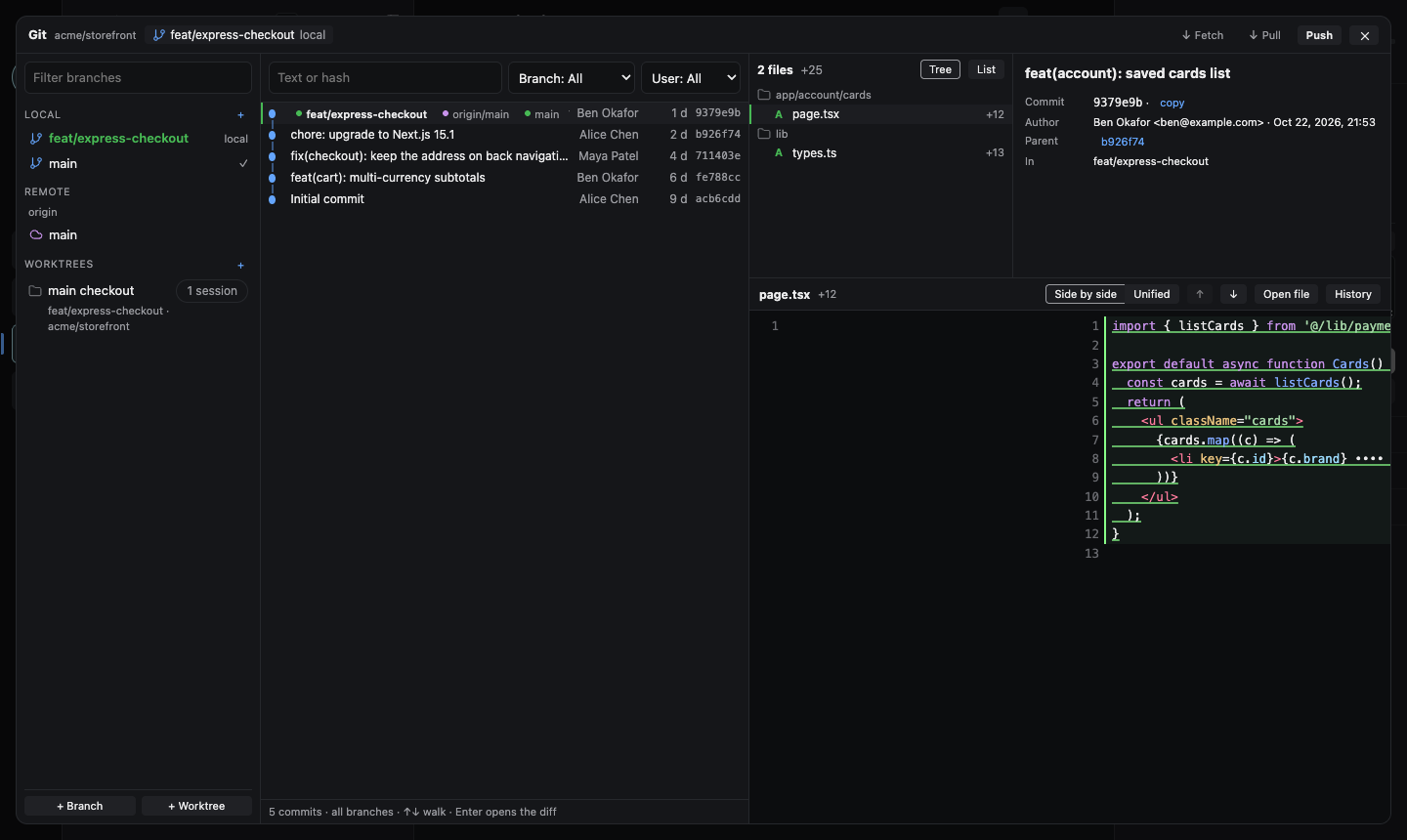
  • A Git window with branches, worktrees, history and side-by-side diffs
  • A commit panel with per-file staging and a generated message
  • A transcript view with tool calls, failures and token usage
The Git window
Tools

Files, databases and HTTP requests, next to the agent.

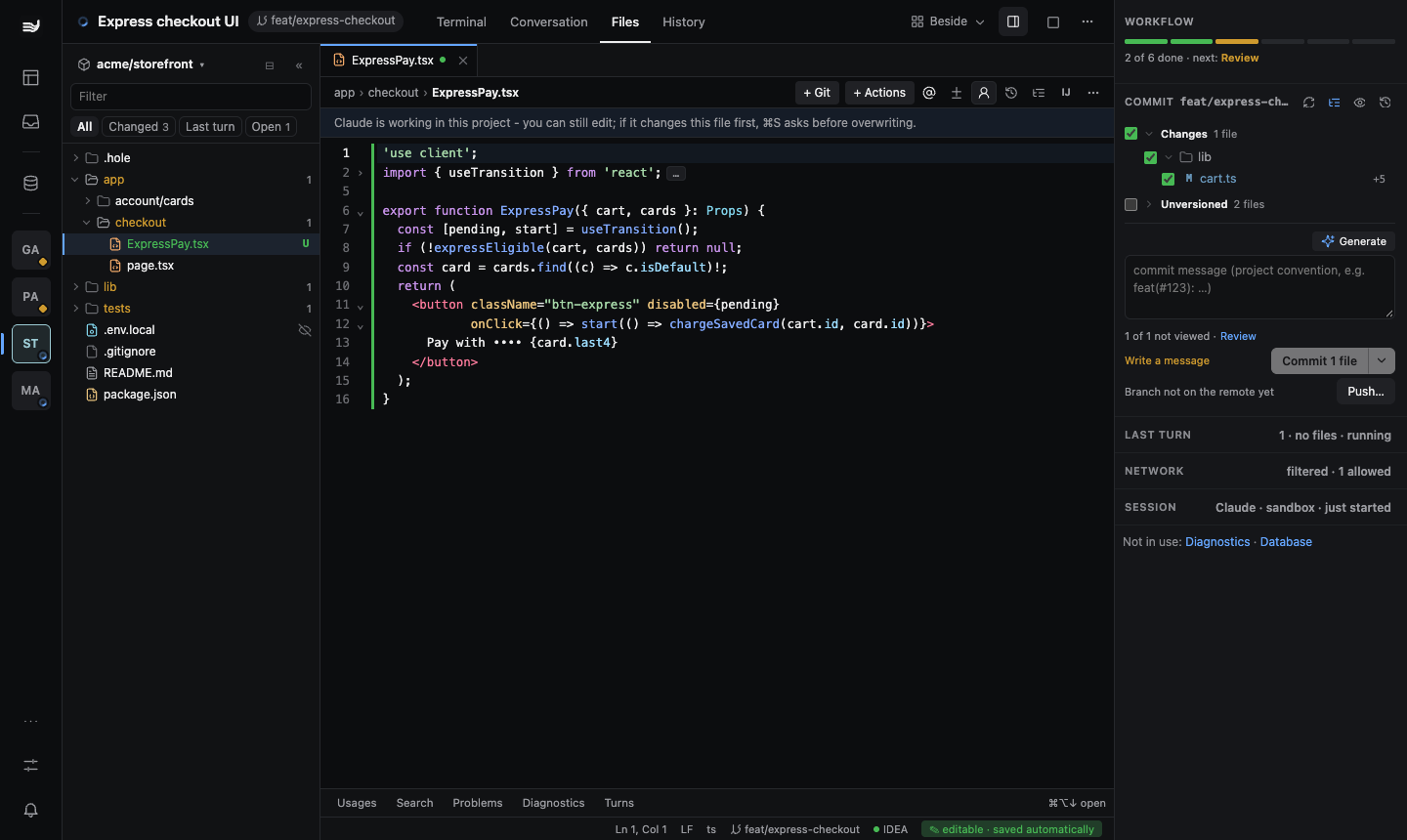
Edit the project while the agent works. Piper asks before you overwrite a file it has just changed, and marks the files the agent never sees.

  • Database client for MySQL, PostgreSQL, Oracle and SQL Server, with SSH tunnels
  • .http runs with environments, OAuth, client certificates and SSE
  • Scratch files that never reach a commit
The Files editor
Built for real infrastructure

Agents that take turns, run on your servers and never hold your passwords.

QUIET WINDOW

Heavy work gets the machine

One session asks for quiet for a build, a migration or a benchmark. The others finish their step, confirm their background tasks have ended and wait until it is released.

SERVERS

Your build box in the same queue

Add an SSH host and start Claude or Codex there, in hole or directly. HTTP and database tools reach back through a reverse tunnel, so credentials stay on your computer. No sudo, no open port.

PASSWORDS

The agent never holds them

Test and production database passwords live with Piper on your computer, readable only by you. The agent works through Piper's tools and sees the connection, never the password.

Security

Every guard is a switch. You choose how often you are asked.

Each session sees only its project, never the files you excluded. On top of that, pick a preset or set single rules. What an agent does on its own is still written to the audit log. Most parallel-agent tools stop at a worktree; Piper is for the moment an agent reaches beyond it (compare).

THE AGENT IN A SESSIONRECOMMENDED
Gitpushing, git outside the sandbox
Gitcommits
GitLabmerging, running CI jobs
GitLabcomments, issues, MR text
Other projectstheir hooks and build files
Other projectsediting their files
Databasesproduction, writes to test
Databaseswrites to dev, reads of test
HTTPtest, production, unknown hosts
HTTPdev
Sessionsstopping a session
Sessionsstarting sessions, writing to them
Protected from Minimal up: the agent image, Piper itself, the host's Docker, other projects' dev stacks and your own git. Secrets and hidden files from Recommended up. What each layer covers, and what it does not: security model.
How it works

A small daemon, a terminal host and one container per session.

Browser GUI TypeScript, prebuilt piperd python3 stdlib only rules · cards · audit ptyhost owns the terminals hole sandbox Claude Code · project A hole sandbox Codex · project B hole sandbox Global agent HTTP + token sessions MCP tools: push, start session, DB, HTTP
piperdServes the GUI on 127.0.0.1, keeps state in ~/.piper and answers the agents' tool calls. A held call becomes a card.
ptyhostRuns on its own, so piperd restarts while every session keeps working.
holeStarts each session's container with only its project mounted, minus the excluded paths.
extensionsAnything specific to your environment lives outside the core, in an extension.py.
Quick start

One command to the first session.

Start Docker, then run the installer. It checks everything else and asks before it installs anything.

$ curl -fsSL https://kamest.github.io/Piper/install.sh | sh
Checks git, Python 3.10+ and a running Docker or Podman, and says what is missing.
Installs hole, the sandbox, and Task, each only after you say yes. No sudo.
Opens Piper after the doctor passes. It never overwrites a file of yours.

Prefer a window? Get the desktop app.

The same Piper in its own window, with a tray that shows what is waiting. On first run it checks Docker and git, installs hole and Piper after you press Continue, and asks before it loads an extension. Closing the app leaves your sessions running.

macOS first launch: drag Piper.app from the DMG into Applications, then try to open it once. The current app is not Apple-notarized: if macOS blocks it, open System Settings › Privacy & Security › Open Anyway for Piper and confirm Open. If you trust the official GitHub download, you can instead run xattr -dr com.apple.quarantine "/Applications/Piper.app" in Terminal, then open Piper again. This removes the download quarantine only from Piper.app and its contents. For a permission error, use Open Anyway. Full macOS instructions. Homebrew also works: brew install --cask kamest/piper/piper. On Windows, choose More info › Run anyway. Windows runs Piper inside WSL 2, which the app turns on after asking. Docker stays your own install.

Prefer to do it by hand? Four commands.
$ git clone https://github.com/Kamest/Piper.git piper
$ cd piper
$ task piper:doctor   # what this machine still needs, each with its fix
$ task piper:open     # starts piperd and opens the GUI

Then press + Session, pick a project, the agent and the task, or run piper demo for a ready-made one that ends on an approval card. You need macOS or Linux (WSL 2 works) and a Claude or ChatGPT account. The user guide walks through the first session and daily use.

Early release. Piper is used daily on macOS and Linux; WSL 2 is supported but less exercised. Expect rough edges and settings that still change between releases. What is known is in Known rough edges; questions go to Discussions.